



As the digital attack surface continues to evolve, it’s crucial to stay ahead of the curve in terms of cybersecurity. That’s why we are excited to share with you the advancements we’ve made to our platform to better protect our customers from cyber threats. In this blog series, we will continuously highlight the newest features and updates that make the smarterSec Security Platform even more powerful for safeguarding your digital assets. From enhanced threat detection to improved user experience, our improvements will help our customers to stay one step ahead of potential security breaches. Whether you’re a current user or just interested in learning more about smarterSec, this blog series is for you. Your feedback is more than welcome. So, join us as we take a closer look at the latest innovations for the smarterSec Security Platform.
If you want to dive deeper into the functionalities of the smarterSec Security Platform, you can find more information here: smarterSec Security Platform
New features & improvements
Main features
Enhancements to our Authorization Capabilities by adding a Segregation of Duty Framework
The Authorization Framework, released last month is now being further strengthened by an explicit Segregation of Duty Framework. The newly introduced Segregation of Duty Framework enables you to group multiple “Actions”, as defined in the Authorization Framework and validate them collectively within a single check. While the Authorization Framework could previously handle SoD conflict detection, it came with considerable complexity. The new dedicated framework dramatically simplifies the setup process without sacrificing capability.
You can find the Segregation of Duty Framework within the “Tools” section of the platform. The Authorization “Actions” are defined within the Authorization Framework in the first step. In the newly added tab “Segregation of Duties” you can then easily combine those “Actions”, to validate them collectively within a single check.
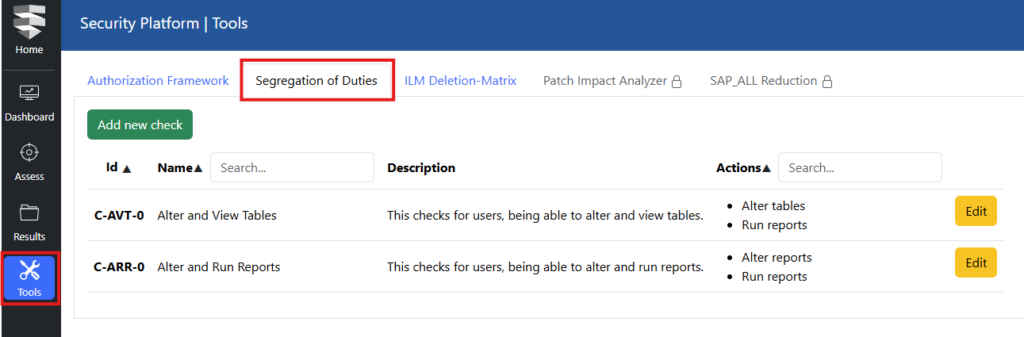
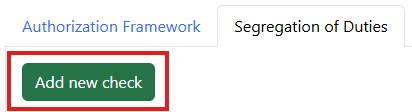
Adding new SOD checks is super simple. Click the “Add new check” button on top and you will get the Check Configuration, which you can adapt to your needs.
Choose a name, add a description and choose all relevant actions you want to have checked within the SOD check. It is that simple.
All SoD checks are being executed within Testcase 21. Select it within the Scan setup and run your SoD checks at any time. Ad hoc or planned in on a regular basis.

Enhancements to the security state report
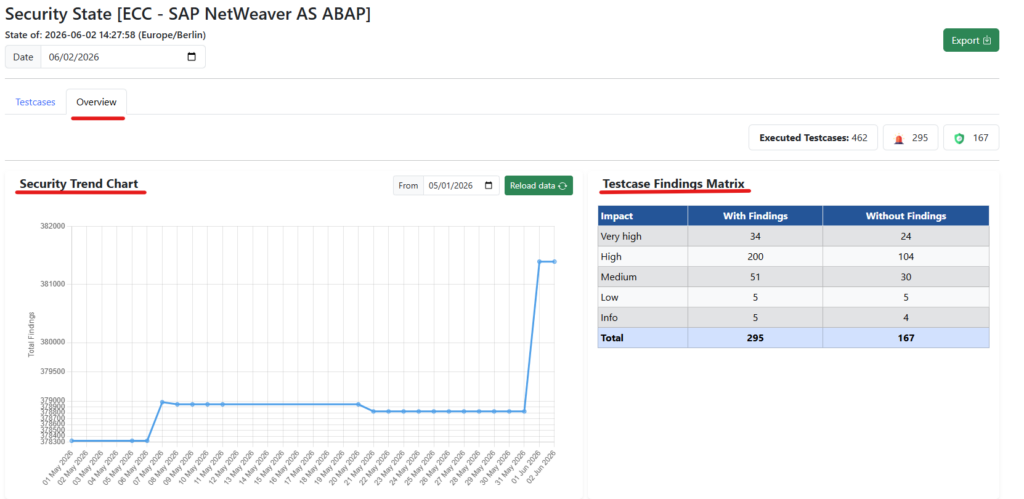
The security state of a target has been further improved. Enter the Security State by navigating to the SSP “Dashboard”, selecting the Security State for a specific target on the bottom right side of the “Dashboard” view.
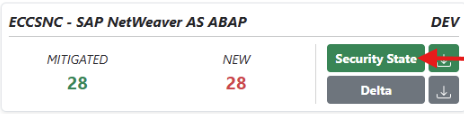
With patch 4.11, you will now see 2 different tabs in the Security State.
Tab 1 (“Testcases”) shows the already known list of Testcases and its results.
Tab 2 (“Overview”) was added and contains individual charts and information of the target to a given date.
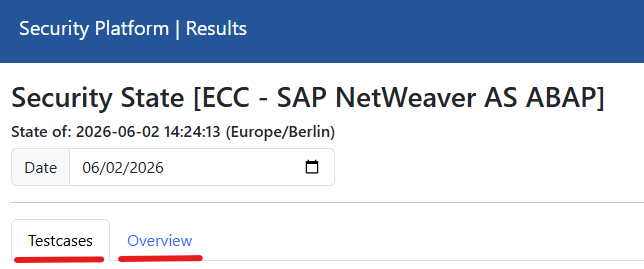
If you have selected the “Overview” tab you will find a Security Trend chart of the selected system, a Testcase Findings Matrix & a Finding Distribution Overview spider diagram.
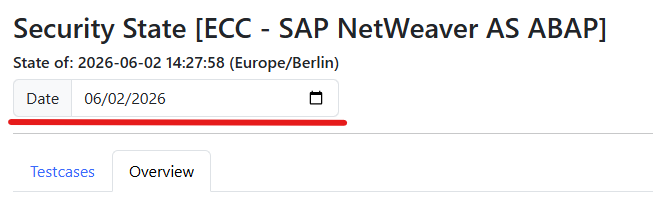
By changing the date on top you can see the adapted charts for any selected date in the past.
Improvements & Fixes
- Authorization Framework – Execute Flag Now Required
– Actions within the authorization framework must now be flagged as “execute” to be automatically run within TC-18. - Dynamic SIEM Event File Access via New Volume
– A new volume has been added to the installation, enabling more dynamic access to SIEM event files. - Enhanced Standard Content & Data Delivery
– Improvements have been made to enhance the standard content and data delivery. - Datasources Hidden by Default on Result Page
– Datasources are now hidden by default on the result page to reduce information overload. - Testcase Status Overview on Result Page & Security State Report
– The result page and the security state report now display the number of executed, secure, insecure, or failed Testcases. - Uppercase Letters Now Supported in Email Registration
– User registration now also accepts uppercase letters in email addresses. - Fix – Deeply Nested Authorization Checks Not Executing
– A rare issue causing very deeply nested authorization checks to not execute properly has been resolved.
Content
As always, we have updated all Testcases to check for the latest releases of components, kernels, and security patches for all available target types.
HANA DB
For this target type, we implemented 2 new Testcases. (TC-484, TC-485)
SAP Netweaver AS ABAP
TC-440, TC-444 have been enhanced by an additional column to show if a role is used.
We will update you on our new platform features regularly here in this blog – stay tuned and give us a follow on LinkedIn to not miss any further updates!
Related topics: Managed Security Service for the smarterSec Security Platform // smarterSec Security Platform