



As the digital attack surface continues to evolve, it’s crucial to stay ahead of the curve in terms of cybersecurity. That’s why we are excited to share with you the advancements we’ve made to our platform to better protect our customers from cyber threats. In this blog series, we will continuously highlight the newest features and updates that make the smarterSec Security Platform even more powerful for safeguarding your digital assets. From enhanced threat detection to improved user experience, our improvements will help our customers to stay one step ahead of potential security breaches. Whether you’re a current user or just interested in learning more about smarterSec, this blog series is for you. Your feedback is more than welcome. So, join us as we take a closer look at the latest innovations for the smarterSec Security Platform.
If you want to dive deeper into the functionalities of the smarterSec Security Platform, you can find more information here: smarterSec Security Platform
New features & improvements
Main features
Deletion of stored credentials
Previously stored credentials for target systems in the Credential Store can now be deleted.
On the right side of the Assess screen (after selecting a target), check the Settings configuration. Enable the Credential Store checkbox to display a dropdown list of all previously stored credentials. After selecting a credential, click the Delete button next to the selection.
Please note that credentials shared with you cannot be deleted if you are not the owner.
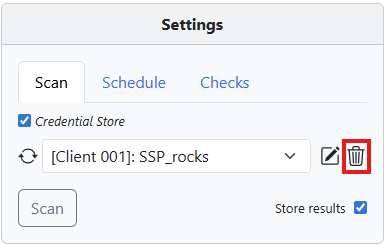
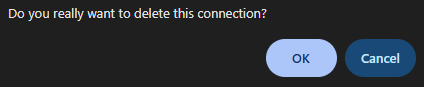
When clicking Delete, a confirmation dialog appears asking whether you want to delete the connection credentials. Clicking OK permanently removes the credentials from the Credential Store. They will no longer be available to you or to users with whom the credentials were previously shared.
If you click Cancel, the dialog closes and the credentials remain unchanged.
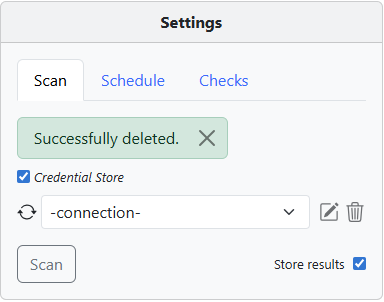
After a successful deletion, a green success message (“Successfully deleted”) appears in the Settings configuration area.
Order by and search fields in the Testcase results and delta tables
Sorting and search functionality have been added to the Testcase Results and Delta Findings tables.
Click the arrow icon next to a column name to sort the table by that column.
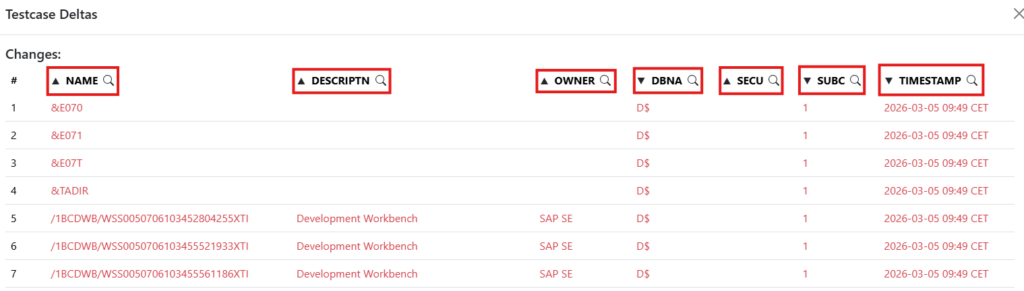
Click the magnifying glass icon on the right side of a column header to open a search field. You can use this field to filter the table for specific entries. Only matching results will be displayed.

Fallback download links for blocked email attachments
If an email provider blocks attachments, the email can now include a temporary download link so recipients can still download the files.
Incompatible Testcases will no longer be present in the assessment cockpit, and for schedules
Incompatible Testcases are now automatically excluded from the Assessment Cockpit and from schedules. This prevents incompatible checks from being selected or executed for target systems where they are not supported.
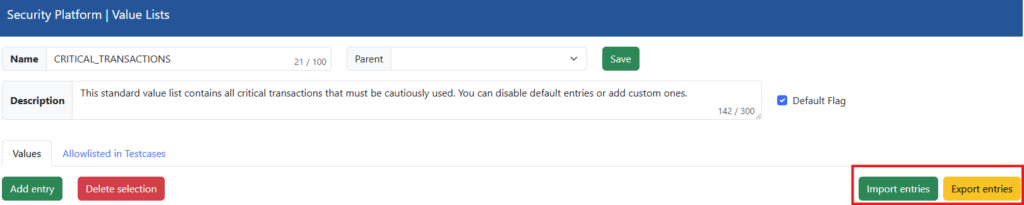
Value list entries can now be exported or imported as CSV
Value lists entries can now be exported to CSV files and imported from CSV, making it easier to transfer, back up, or update entries in bulk.
Testcase counters in the Assessment Cockpit
The assessment cockpit does now show how many Testcases are available, selected, and hidden. This allows for better visibility and easier management of Testcase selections during assessment configuration.
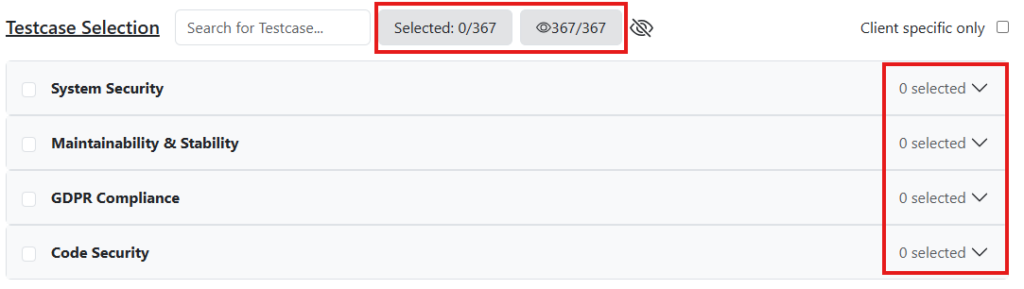
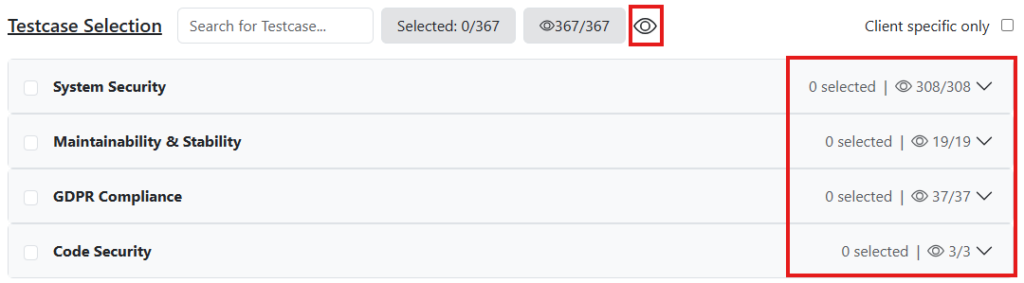
By clicking the “crossed-out eye” icon highlighted in the image below, you can view both – available and hidden Testcases for each category.

Below you can see the “crossed-out eye” icon after it has been clicked (it changes to an eye icon). The view now displays the available and hidden Testcases for each category instead of only showing the overall number of Testcases on top for all categories combined.
Improvements & Fixes
- Compatibility warnings for Testcases in scan results
– Compatibility warnings of Testcases are now displayed inside the result table and no longer at the top of a scan - Improved dashboard performance
– Dashboard performance has been improved and now consumes less CPU on the database level. - Updated the shared connection model
-The shared connection model has been updated to use a multi-selection field (Ctrl + Left-Click) when sharing connections. - Automatic update of datetime minimum values
– The minimum value of datetime fields is now automatically updated whenever required (e.g. during scheduling or scanning). - Fix – Dynamic value list SAP Note Exemptions
– An issue affecting the dynamic value list for SAP Note Exemptions has been resolved. - Fix – “Hide exemptions” button toggle
– A rare issue where the “Hide exemptions” button was not properly toggled has been fixed.
Content
As always, we have updated all Testcases to check for the latest releases of components, kernels, and security patches for all available target types.
SAP NetWeaver AS ABAP
For this target type, we implemented 3 new Testcases and improved 4 Testcases. Those changes were across the categories: ICF services, Critical authorizations, Database encryption, Patch management, ICM and Security policies.
Corrected Testcases
We have corrected unsufficient authorization check logic for 7 Testcases.
We will update you on our new platform features regularly here in this blog – stay tuned and give us a follow on LinkedIn to not miss any further updates!
Related topics: Managed Security Service for the smarterSec Security Platform // smarterSec Security Platform